

Your employees are using AI tools you haven’t approved. Some of them cost nothing. Some of them cost money hidden in a departmental budget. Some of them run on their personal laptops after hours. You don’t know how many there are, you don’t know what data they’re touching, and you probably don’t know what they’re outputting.
This is shadow AI: the gap between the AI tools you’ve sanctioned and the ones your organization is actually running. It’s not new (shadow IT has been a CISO problem for two decades), but the surface area has exploded. In 2020, shadow IT was Slack, Salesforce, Zoom. In 2026, it’s Claude, ChatGPT, Gemini, a dozen specialized tools for code generation, image synthesis, document automation, and research. The tooling is cheaper, faster to adopt, and harder to govern than ever.
The alarmist version of this story is “your employees are leaking data into ChatGPT and you can’t stop them.” That’s real and worth preventing. But the fuller story is more nuanced and more actionable. Some shadow AI use is genuinely risky. Some of it is benign or even productive. The CISO’s job is not to block everything; it’s to see what’s happening, risk-tier it, and respond with the right lever for each tier.
What counts as shadow AI (and what doesn’t)
The term gets overloaded, so let me define it narrowly. Shadow AI is an AI system (typically a consumer or SMB product) that generates outputs affecting business operations without explicit approval from the security or technology organization.
This includes: - ChatGPT, Claude, Gemini, Copilot used for work (not personal projects) - Specialized tools: Cursor, GitHub Copilot, v0, Perplexity, NotebookLM - Browser extensions running Claude, GPT, or similar models - Internal agents or automation built by individual teams without IT/security review - White-labeled or embedded AI inside purchased SaaS tools (Salesforce Agentforce, HubSpot AI)
This does not include: - Approved AI deployments: your ChatGPT Enterprise license, managed Copilot, in-house LLM, sanctioned vendors - Evaluation and testing of new tools in pre-approved sandbox environments - AI used for purely personal projects (writing a personal blog, learning, hobby automation) - Generative AI features inside tools you’ve already approved for other reasons (AI features in Microsoft Office, Zoom, Slack)
The distinction matters because it determines how you respond. An employee using ChatGPT for personal creative writing is a different risk profile than that same employee using it to draft customer proposals or debug production code.
How to discover shadow AI: three methods that actually work
Discovery is the hardest part because the attack surface is large and diffuse. You can’t rely on a single tool. Here are the three methods that actually work in practice.
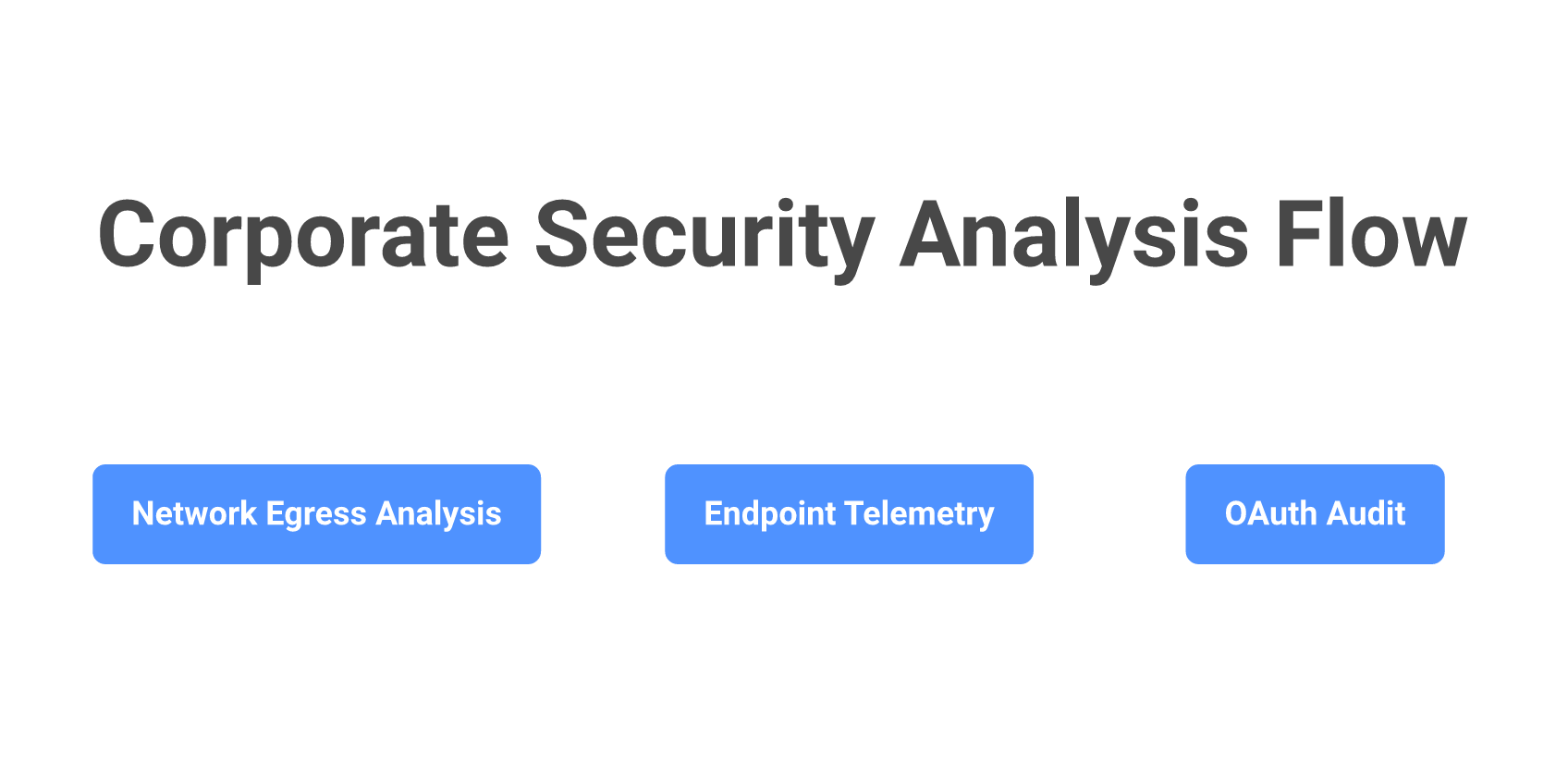
Method 1: Network egress analysis via CASB and Secure Web Gateway. Your cloud access security broker (CASB) or secure web gateway (SWG) sits between your users and the internet, inspecting HTTPS traffic to known AI vendors. Products like Zscaler, Netskope, and Palo Alto Prisma passively detect when traffic flows to ChatGPT, Claude, Gemini, and dozens of smaller tools. The gateway records the vendor, the user’s identity, the time, and sometimes the classification of data being sent.
The constraint is real: these tools see SaaS AI (consumer and enterprise cloud), not internal agents or locally-running tools like Cursor or a homebrew automation script. They also require a network proxy or endpoint agent, which not every organization maintains. If you have this infrastructure, run a quarterly report. If you don’t, SWG deployment is a reason to prioritize it. Cost ranges from $50K to $500K annually depending on scale, and the ROI is multiple (data loss prevention alone justifies the spend).
Method 2: Browser extension and endpoint telemetry audit. EDR tools and endpoint management solutions can log application execution, installed browser extensions, and imported packages. A developer using Cursor will have it in their Applications folder. A team importing the Anthropic Python SDK or OpenAI SDK will have those packages in their dependency tree. Browser telemetry catches Chrome extensions like “ChatGPT for Chrome” or “Claude for Gmail.”
This requires post-processing the data: write a detection rule for “import anthropic”, “import openai”, “npm install @anthropic-sdk”, or specific application signatures. Products like Island, Talon, and Harmonic provide out-of-the-box detection for common AI tools on browser and endpoint. The signal is strong. This method catches tools that don’t leave network signatures (Cursor running locally, a Claude script on a developer’s laptop, specialized tools running in sandboxes).
Method 3: OAuth connection audit and SaaS identity posture tools. Many shadow AI integrations aren’t accessed via web or CLI. Instead, they’re connected as OAuth apps to your Slack, Gmail, Salesforce, or GitHub. Audit tools like Reco, AppOmni, and Obsidian Security scan your SaaS environment for connected third-party applications. They report which apps have access to which resources, when the connection was made, and how many users have granted permission. A “ChatGPT for Slack” integration or a “Claude email summarizer” will show up as a connected OAuth app.
This method is fast to run (hours, not weeks) and requires no agent deployment. The output is a spreadsheet of every connected app, with a flag for “new in the last 90 days.” This turns rapid discovery into organizational process: when a team wants to integrate a new AI tool, it goes through your SaaS identity provider first.
The realistic stack: Run all three in parallel. Network egress analysis catches the easy cases at scale. Endpoint telemetry catches the harder cases where tools run locally. OAuth audits catch integrations. You’ll typically find 60% on method 1, another 25% on method 2, and the last 15% on method 3. The teams that get the best visibility combine a quarterly CASB report, a monthly endpoint detection sweep, and an OAuth audit run whenever compliance asks. Total operational cost: roughly $200K annually in tooling plus 20 hours per quarter of human time to triage and act on findings.
Risk-tiering shadow AI use cases (not all of them are bad)
Not every instance of shadow AI use is a problem. Some is productive, low-risk, and worth sanctioning. Some is a liability. The tier determines the response.
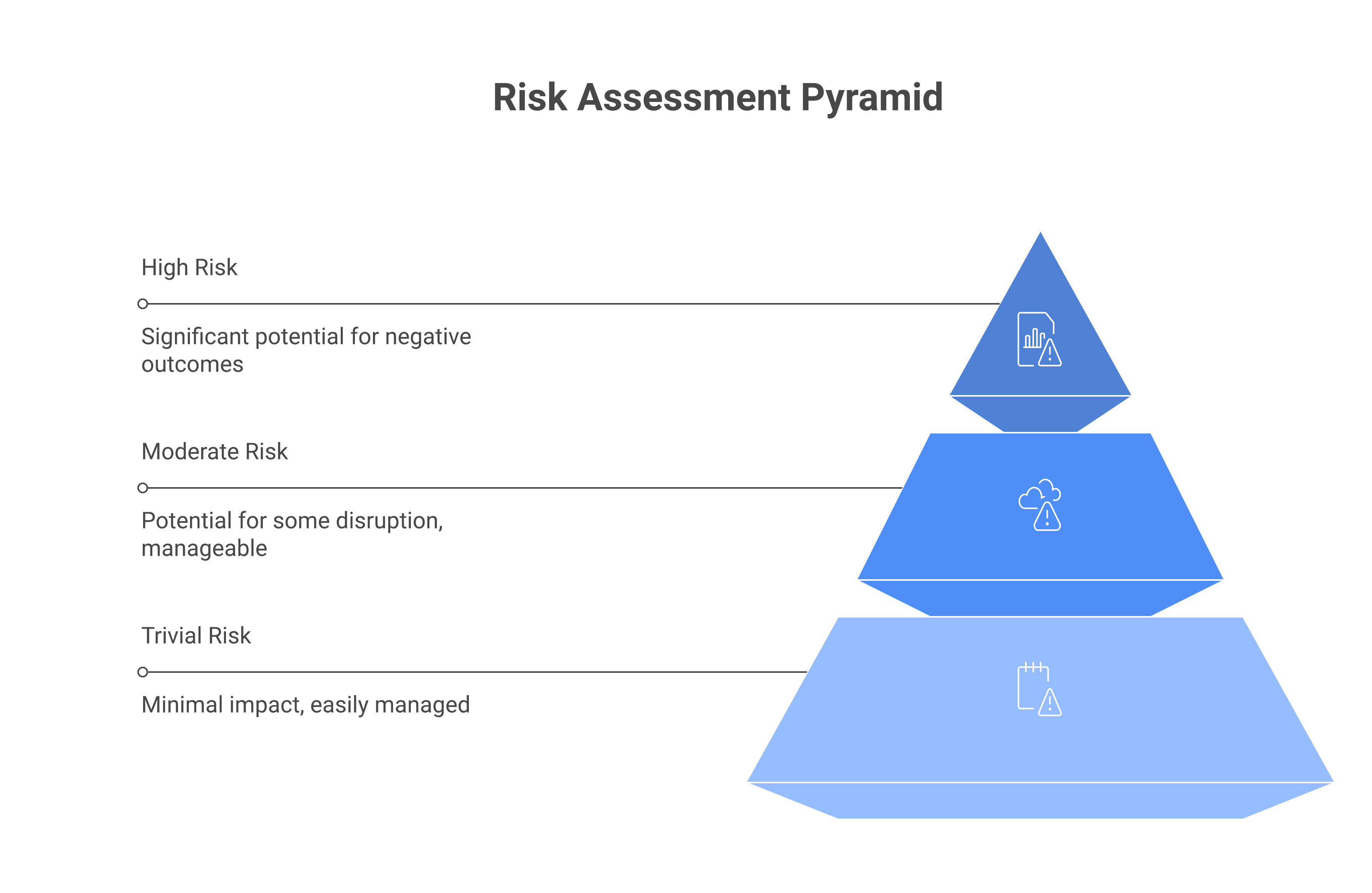
Tier 1, Trivial risk. The tool is used for brainstorming, drafting non-sensitive content, or learning. Examples: a marketer using ChatGPT to outline a blog post, an engineer using Claude to debug a problem they’re already thought through, a manager asking Copilot to draft a meeting note. The output either stays private or is reviewed by a human before sharing. Data classification: no customer data, no financial data, no confidential information enters the tool. Response: allow, no controls. Document it in your approved tools list if the team wants official status.
Tier 2, Moderate risk. The tool touches lightly-classified data or is used operationally but with limited scope. Examples: a support engineer using ChatGPT to draft a customer-facing response (after a human quality-check), a sales team using Claude to analyze a publicly-available competitor’s marketing page, an analyst using Perplexity to research industry trends (but not pulling internal data). The risk is real but containable. Response: allow with restrictions. Document what data classification is permitted, require output review before sharing externally, implement logging or periodic audits to check compliance.
Tier 3, High risk. The tool handles sensitive data, generates outputs that directly affect business decisions without human review, or is embedded in an automated workflow. Examples: an engineer building an internal agent with access to production databases, a compliance officer using a shadow LLM to analyze redacted legal agreements, a finance analyst using an unapproved tool to draft regulatory filings. Response: require formal approval before continuation. Evaluate the tool’s security posture, integrate it into your standard governance (this becomes a sanctioned tool), or block it if the risk is unjustifiable.
Most shadow AI falls into Tier 1 or 2. The move is not to block all of it; that wastes security budget and creates friction that often backfires. The move is to see it, tier it accurately, and respond proportionally.
The five risk dimensions for tiering shadow AI
Simple tiers are a start, but they hide important distinctions. Tier a use case by answering these five questions. Assign a score (1-3) to each and sum for a risk total that’s defensible in a spreadsheet.
[DIAGRAM: Risk scoring matrix with five dimensions, three rows of scoring, total risk column]
Data sensitivity in. What classification of data enters the tool? Use your org’s data classification scheme. (1) = non-sensitive, public data (competitive intel, blog posts, public documents). (2) = internal data (code, design docs, strategy docs, unredacted meeting notes). (3) = sensitive data (customer PII, financial records, legal agreements, health information). If an employee is pasting a customer agreement into ChatGPT for analysis without redaction, score this (3).
Data sensitivity out. What does the tool output, and where does it go? (1) = output stays private (only the user sees results). (2) = output shared internally after review (the employee writes a summary and shares it in Slack). (3) = output published or shared broadly without review (a compliance officer using an LLM to draft a policy memo that gets forwarded to the board unvetted). The riskier the audience, the higher the score.
Model vendor trust. Who operates the LLM? (1) = a vendor with strong privacy policies, clear TOS, no data retention commitments, and a paid enterprise offering (Claude Enterprise, ChatGPT Enterprise, Copilot Pro from Microsoft). (2) = a mid-tier vendor with some transparency (Perplexity, Mistral, some open-source tools). (3) = unknown, jurisdictionally problematic, or free tier of a vendor with aggressive data-use terms. If the tool is free and marketed to consumers, default to (3).
Training-data opt-out status. Can your organization or the data enter the model opt out of training data use? (1) = the model is fine-tuned on your data only, or you’ve signed an agreement that guarantees opt-out (some enterprise tiers). (2) = the vendor has published opt-out mechanisms and you’ve used them. (3) = no opt-out available; the vendor’s terms allow any data to be used for training without restriction. Every free tier defaults to (3).
Business criticality of workflow. How critical is the workflow to your business? (1) = nice-to-have, non-essential (a designer using an AI image generator to explore mockups). (2) = supporting a business function but not single-threaded (a sales rep using ChatGPT to outline a pitch). (3) = critical path to revenue or operations (finance using an unapproved LLM to forecast quarterly earnings, an engineer using a shadow LLM to generate production code without review). If the workflow breaks, does a customer suffer?
Scoring: Sum all five. Scores 5–8 are tier 1 (allow). Scores 9–12 are tier 2 (allow with controls). Scores 13–15 are tier 3 (block or formally approve). Build this matrix into a spreadsheet so your teams can self-assess when proposing new tools. The structure makes triage defensible when a executive asks why you’re allowing Claude but blocking Copilot in a specific team.
Response playbook: green, yellow, red
Once you’ve discovered shadow AI and tiered the risk, you have three response paths. Each path specifies the policy response, the message to employees, and the enforcement mechanism.
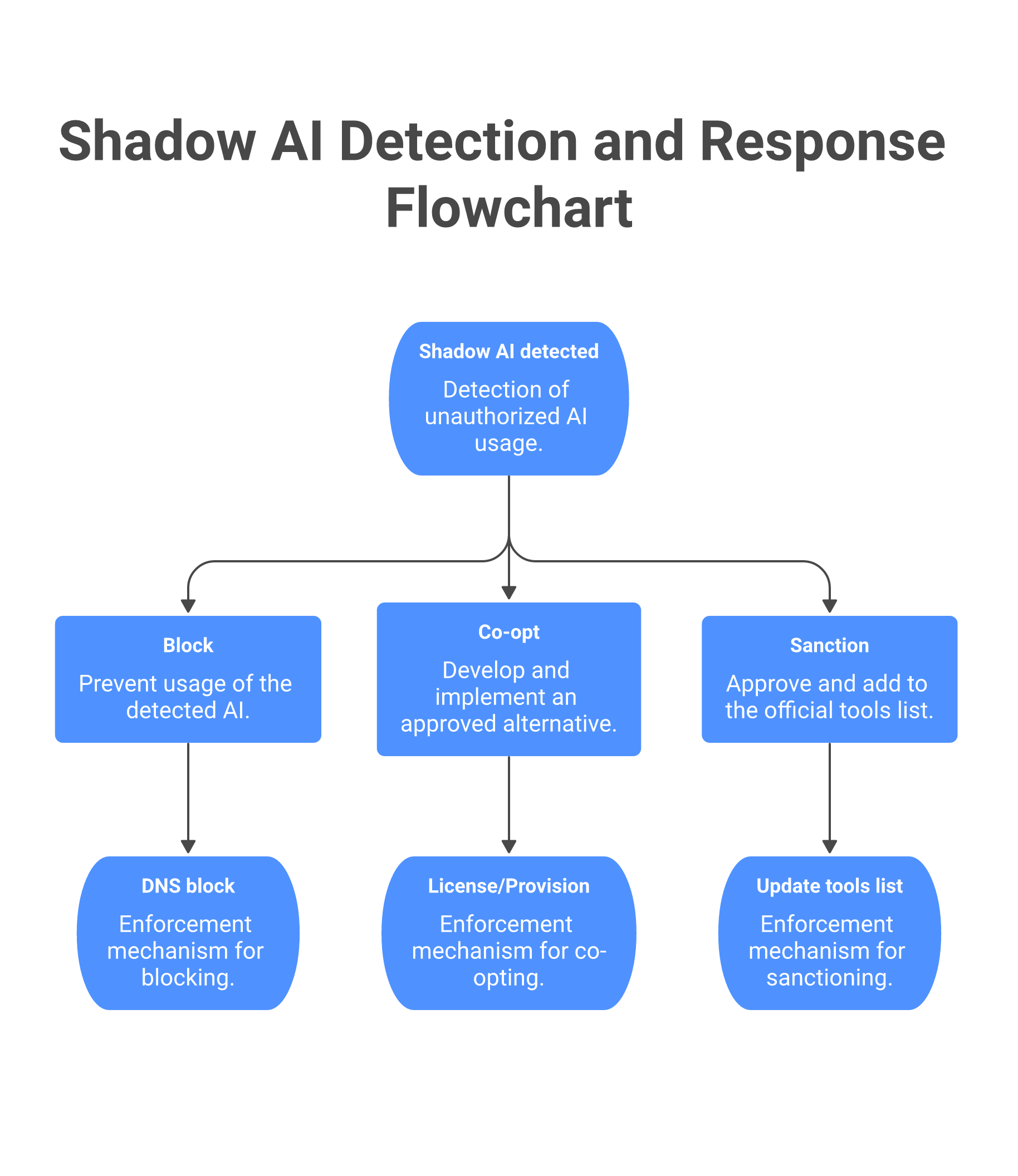
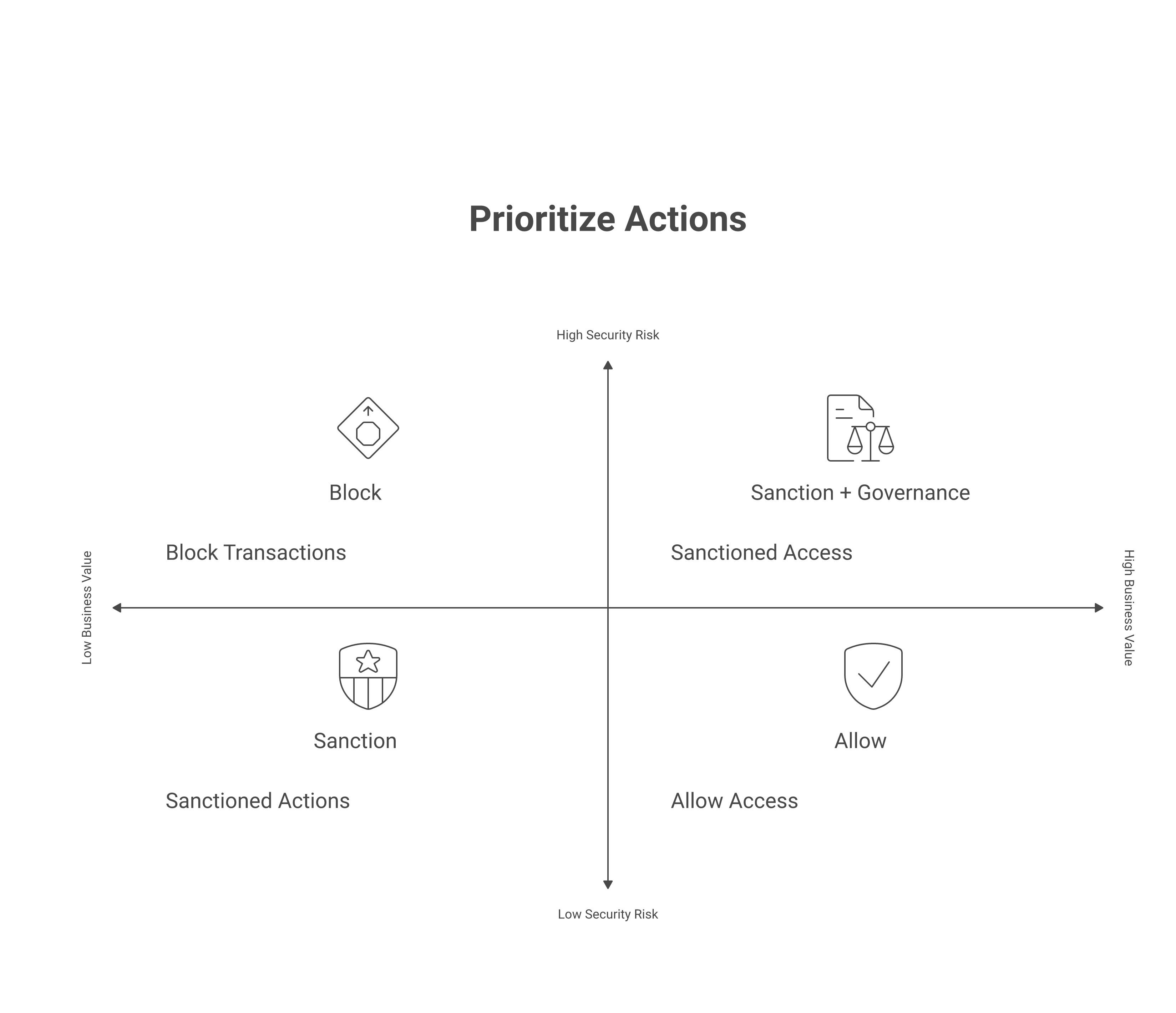
Green (Tier 1, Sanction): The tool solves a real problem and risk is low. Response: move it from shadow to approved. Publish the tool in your approved AI tools list, provide a license (or document if it’s free), write a one-paragraph acceptable use policy, and include it in onboarding. Policy language example: “ChatGPT is approved for brainstorming, drafting, and learning. No customer data, financial data, or proprietary code. Output is not confidential and should be reviewed before sharing externally.” Communication to teams: email from the CISO explaining the tool is now approved, with clear use boundaries. Enforcement: none required for Tier 1. Add it to your CASB allowlist and remove from any block lists.
Yellow (Tier 2, Co-opt or Restrict): The tool is valuable but risky in its current form. Response A is co-opting: build an approved alternative that gives the team what they want with your visibility. Engineers using Cursor? Provision GitHub Copilot through your identity provider with logging enabled. Teams using Claude for analysis? License Claude Team for the department. Response B is restricting: allow the tool but with controls. Policy language: “Claude is approved for analysis of non-sensitive internal data. Output must be reviewed before sharing with customers. Sessions are logged quarterly for compliance audit.” Communication: direct outreach to the teams using the tool; offer to help them migrate to the approved version or complete the approval process. Enforcement: configure your SWG to allow the tool but track all usage via DLP policies. Log all sessions and review sampled logs quarterly.
Red (Tier 3, Block or Escalate): Risk is high and business case is absent. Response: block the tool, but pair it with explanation and an escalation path. Policy language: “This tool has not been approved for enterprise use due to data-handling risk. If your team has a business case, request formal approval through the AI tool approval workflow.” Communication: send a message to affected users explaining why the tool is blocked, what’s approved instead, and how to request an exception. “We’re blocking [tool] because [reason]. Use [approved alternative] instead, or request an exception here.” Enforcement: configure your firewall and SWG to block the domain. Add to DNS blocklist. Set an endpoint policy to prevent installation. Provide the approval workflow link in all blocking messages so teams have a path forward instead of just a brick wall.
Governance calibration: The right balance is typically: block the bottom 10% by risk (tools with no legitimate use case or extreme data-handling issues), sanction the top 20–30% (tools widely used and low-risk), and govern the 60–70% in the middle with a Yellow response. A straightforward Yellow policy (”Claude approved for brainstorming and internal analysis; no customer data”) is easier to enforce than a hard block. Use your SWG to implement DLP rules that intercept high-risk data transfers, run training for teams in affected areas, and audit quarterly to verify compliance. This approach reduces the user experience friction that would otherwise push employees to personal devices.
The productivity tax of over-blocking
The most underestimated cost of a hard-block shadow AI strategy is not the compliance risk. It’s the productivity cost paid by the business.
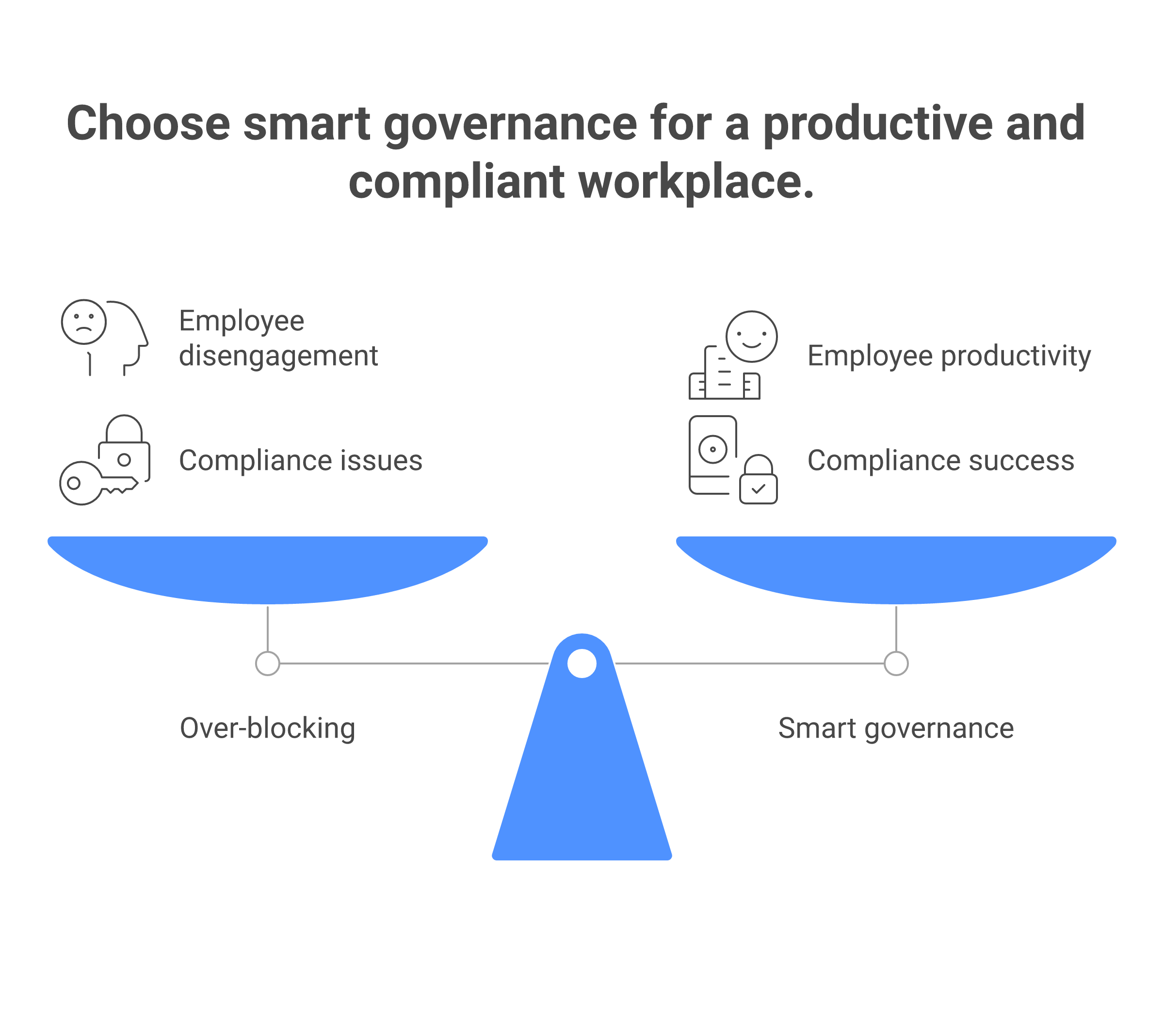
Case 1: Blocked ChatGPT at the firewall. A financial services company blocked ChatGPT entirely because “customers might paste secrets into it.” What actually happened: analysts who had been using ChatGPT for routine research (competitor analysis, document synthesis, trend spotting) didn’t stop. They created personal ChatGPT accounts, accessed them on personal phones during lunch, and ran the same tasks. Cost to the company: zero official visibility, no DLP controls, analysts burning context windows on unapproved devices. The company paid the security downside of “we block everything” with none of the upside.
Case 2: Blocked GitHub Copilot for engineers. A SaaS startup blocked Copilot because “we need to control what code gets generated.” Engineers didn’t wait for an alternative. They paid $20/month for Cursor (an IDE-embedded LLM that runs locally), expensed it as “software tools,” and shipped the same features twice as fast. The company had less visibility into tool use than they would have had with Copilot Enterprise, and the engineering org voted with their wallets.
The math. Assume a company with 500 engineers. If a shadow AI ban prevents 20% of the org from using a tool, but that 20% compensates by using unsanctioned alternatives or personal devices, the company has bought security theater (a blocking policy) at the cost of actual security posture (no visibility, no controls). The same ban also costs: 20% productivity loss on tasks where the tool was legitimately helpful (code review, documentation, architecture thinking), plus the management overhead of handling the exceptions that inevitably surface.
Rough math: 100 engineers, 5% time savings from code-gen tools, fully burdened cost $300K/year per engineer = $1.5M annual productivity value. A block policy that erodes that to $900K while shifting usage to shadow channels is a net negative. In contrast, a Yellow-response governance model that approves the tool with logging and DLP costs $15K in tooling and $5K in policy/training overhead. Net: $600K annual productivity gain, actual visibility, and materially better security posture than the block-at-all-costs approach.
The lesson: CISOs who block too broadly cede the decision to employees’ individual risk tolerance. CISOs who govern smartly (allow + controls) retain agency.
Frequently asked questions
Should we block ChatGPT at the firewall?
Blocking ChatGPT enterprise-wide is usually a mistake. It creates friction for legitimate work, pushes users to personal devices (which you see even less), and is brittle (users find new routes). Better: approve ChatGPT for Tier 1 and 2 uses, implement DLP to prevent Tier 3 data from going in, and use that data loss prevention as your primary control. You keep visibility and reduce the risk without the user-experience cost.
How do we know what shadow AI is being used?
Use network traffic analysis (CASB tools like Netskope and Zscaler as your baseline), supplement with endpoint telemetry (detect package imports, application execution via Island or Harmonic), and run a survey asking teams to self-report. Combine all three and you’ll catch 90%+ of active shadow AI. Most teams aren’t hiding it; they just haven’t thought to report it. A 15-minute survey form asking “What AI tools are you using for work?” with a request-to-approve workflow surfaces most of the remaining 10%.
What’s the lightest-touch discovery method we can start with next week?
If you have a SWG or CASB already deployed, run a report against it in two hours. If you don’t have that infrastructure, run an OAuth audit using Reco or AppOmni (cloud-native, no agents, turnaround of 24–48 hours). The OAuth audit gives you every third-party app with access to your critical SaaS systems, including all connected AI tools. Cost is minimal (roughly $5–10K for a quick run) and you get results immediately. Pair this with a two-question survey (”What AI tools are you using?” and “Request to approve”) and you’ve got 80% discovery in one week.
How do we handle shadow AI from contractors and vendors?
Contractors and vendors are a distinct problem because you don’t control their devices or networks directly. Your control point is contract and access. First: clarify in your vendor agreements whether contractors can use AI tools with your data. Second: use OAuth audits to check which AI apps contractors have connected to your SaaS systems. Third: require contractors to disclose AI tool use during onboarding, same as any other technology. Fourth: use data classification controls to limit what sensitive data contractors can access, reducing the blast radius of shadow AI use. For vendors, your contractual pull is reduced, but you can use SWG logs to detect when vendor traffic flows to AI tools and escalate accordingly.
Should the discovery tool live under IT, Security, or Compliance?
Ownership matters because it signals what you’re optimizing for. IT ownership means “optimize for visibility and operational efficiency.” Security ownership means “optimize for risk detection and incident response.” Compliance ownership means “optimize for audit trails and regulatory reporting.” The most functional setup: Security owns the governance (policy, risk tiering, playbook), IT owns the enforcement (SWG rules, endpoint policies, tool provisioning), and Compliance owns the reporting (audit logs, board summary, regulatory compliance). A single owner often makes one dimension (usually visibility) disappear. In practice, appoint a “shadow AI lead” (a security engineer or architect) to orchestrate across all three teams. That role interfaces with IT to configure tools, interfaces with Compliance to track policy adherence, and reports to the CISO monthly.
Related reading
Agentic AI Security: understand how agents interact with shadow tools
EU AI Act Compliance: regulatory requirements for unsanctioned AI use
LLM Data Leakage: how to prevent sensitive data entering shadow tools
Building an AI Security Program: integrating shadow AI discovery into your program